

GuideAsk KeptiPhoneMac
Ask Kept
An assistant that answers from what you have kept and can act in your account, with a confirmation before anything that touches another person.
Ask Kept is the assistant inside the app. It reads your tasks, notes, habits, goals, calendar, and the things it remembers about you, and it answers in plain words. When you ask it to do something, it does it in your account and shows you exactly what it did.
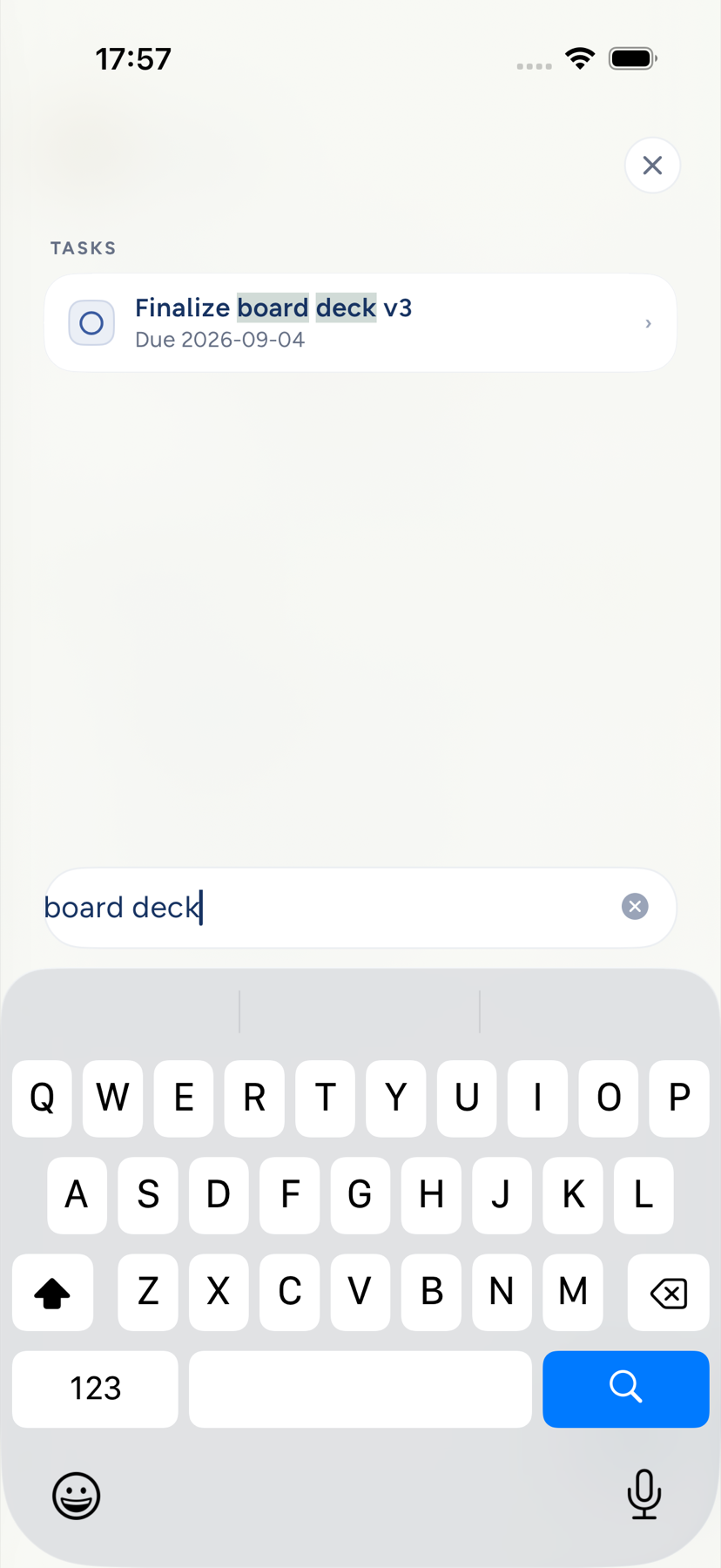
It runs on Cloud AI, so it waits until you have chosen Allow Cloud AI. Until then the entry points explain what they would need and offer the setting. With Cloud AI off, the pull-down surface on iPhone becomes Search notes and tasks: it searches the index on your phone and opens what you pick, with no Send button and nothing leaving the device.
Open it
- iPhone. Pull down past the top of Today, Tasks, Notes, or most other screens to open Quick Search. It greets you by the time of day and offers a few prompts that fit the screen you came from. Type into Search · or ask anything and tap the send arrow. With a hardware keyboard,
/opens it. - Mac. Choose Go → Ask Kept…, or press ⌘K, type, and press ⌥↩. The assistant opens in a panel beside your work with the composer Ask or tell Kept….
What to ask
Some questions people ask on their first day:
- "What should I do first this morning?"
- "What did I decide about the vendor contract?" It searches your notes by meaning, not just by keyword.
- "When is my next meeting with Dana?" It searches event names instead of guessing dates.
- "How is the marathon goal going?"
- "Plan my afternoon around the 2pm call."
- "Add to today's note: the plumber comes Thursday."
The reply streams in, with a short phase label while it works, Searching your notes…, Checking your calendar…, so a slow answer never looks like a stalled one. Press and hold a reply on iPhone to copy the whole thing as plain text. The thread clears a few minutes after you close it; nothing is stored as a conversation on the server.
Times in a reply read in your own clock. In English a span shows as 3:00 to 10:00 PM, or 15:00 to 22:00 if your iPhone or Mac uses 24-hour time. In other languages each time follows your clock and the span keeps the separator the reply was written with, so 3-10pm shows as 15:00 - 22:00.
Kept reads a time you type from your own words and adds no guess of its own about which hours you meant. The reply writes the hours it used in full, as in 3:00 to 10:00 PM, so you can catch a misread, and a request unclear enough to go wrong gets one short question first. In a reply, a span is redrawn in your clock only when both ends are plainly times, as in 3:30 to 5pm, 2pm to 4pm, or 15:00-22:00, or when a plain hour meets a PM time with a hyphen and no spaces at the start of a phrase, or right after a day or from, at, or between, as in 3-10pm, Thursday 3-10pm, or from 2-4pm. Kept never stretches a span across midnight to make it fit. Anything less certain stays exactly as written: Day 2-7pm, Oct 2 - 7pm, rooms 2 to 4pm, and 7pm - 2 are not read as spans. When a request sets a weekday right beside a relative day, as in tomorrow (Thursday) or tomorrow, Thursday., the weekday wins, and if the two point at different days the reply says which day it used so you can correct it. A weekday that starts the next thought, as in tomorrow, Friday I'm busy, is left alone.
Switch apps mid-reply
On iPhone you can leave Kept while a reply is still streaming. Kept keeps the reply going for the short time iPhone allows. If iPhone stops it anyway, the reply shows Picking this back up… and continues when you return: Kept asks again once under the same request and gives you one answer, and an event the first attempt already added is never added twice. If that second attempt also stops, or the reply failed for another reason, you see the stopped line and Retry. You can still stop it while it waits. On Mac, Kept marks a streaming reply as work you started, which asks macOS not to slow it down while the window is hidden or covered.
Retry
If a reply stops before it finishes, Retry asks again without repeating what may already have happened. It can read your data to answer. The one change it can still make is the event that request was adding, and it can only ever add that event once: if the first attempt already put it on your calendar, Retry says so and adds nothing. Anything else, such as a task or a note, Retry checks and reports rather than doing again.
Simple asks never leave the phone. Mark stretching done, Add a task: call the vet, Start focus, and Open Calendar are handled by the on-device model and answered at once, even offline.
What it can do
The assistant can create and edit tasks, notes, events, goals, and habits; complete or reopen tasks and habits; file a note into a folder or link a task to a goal; find free time on your calendar; and prepare a reviewable Top 3. Each action arrives as a card that names what happened, with a way to undo it.
Anything with an effect on another person, such as inviting a guest or replying to an invitation, and anything that deletes, comes back as a confirmation card first: Send invite or Not now, Delete or Cancel. Your tap is the decision. Meals, workouts, and check-ins return a draft and open Body rather than writing a record for you. Connecting Apple Health from a conversation is a card too.
Attach an image
On iPhone, tap Attach photos to add up to five: a whiteboard, a receipt, a menu. The image goes to the server model only after Cloud AI is allowed, and earlier turns never resend it. The Mac panel has no photo picker.
Skills
Skills are focused instruction sets for planning, calendar work, habit design, training, nutrition, sleep, and memory. The assistant picks them up when they fit. A skill can narrow which tools it uses; it can never widen your permissions. The skills library and personal skills are rolling out under their own switch in Settings.
Device calendar context
When you ask about time, the iPhone or Mac can attach a bounded snapshot of your calendars and upcoming events, including Apple calendars the server cannot see, so the assistant does not propose a slot you already gave away. The snapshot is context for that one request, not a calendar connection.
Next: Briefings and reminders.